What Is Elementor and Why Do We Use It for Every WordPress?
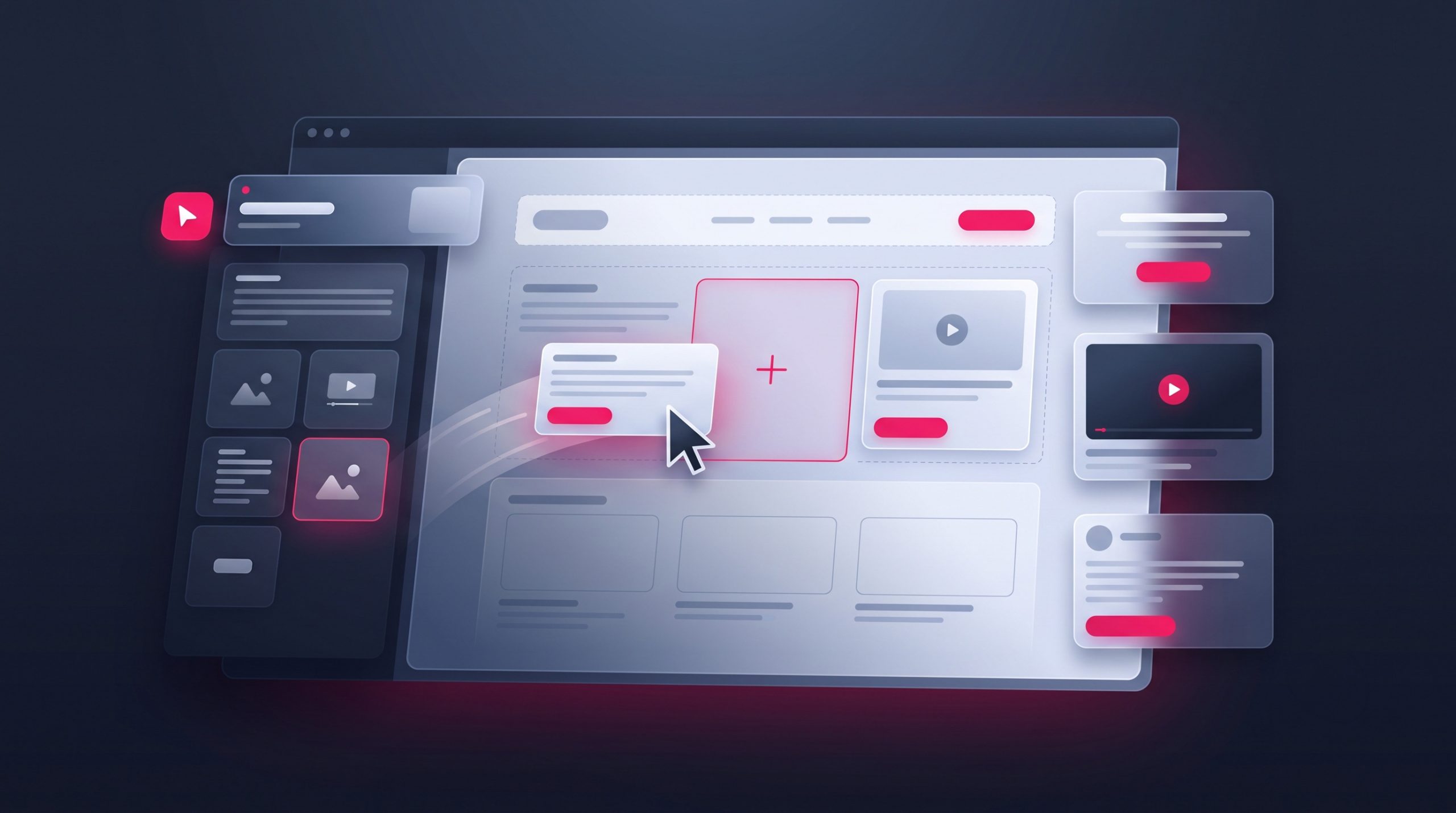
If you’ve ever been quoted for a website and seen the word “Elementor,” you might have wondered what it actually is — and whether it matters for your business. In short, Elementor is the visual page builder we use on every WordPress project, and it’s the reason our clients can edit their own websites after handover without touching a line of code. Here’s what it is and why it matters.
Key takeaways
- Elementor is a drag-and-drop page builder for WordPress that lets you design pages visually, seeing changes as you make them.
- It means you can update your own website — text, images, sections — after handover, with no developer and no code.
- It gives complete design freedom without locking you into a single theme.
- Built well, an Elementor site is fast and mobile-ready; built carelessly, any site can be slow — the craft matters more than the tool.
Elementor is one of the most widely used WordPress page builders in the world, powering millions of websites. For a Pakistani business, its biggest benefit is simple: it puts you in control of your own site. Let’s unpack what that means in practice.
What is Elementor, exactly?
Elementor is a plugin that adds a visual, drag-and-drop editor to WordPress. Instead of writing code or wrestling with a theme’s limited settings, you build your pages by dragging elements — headings, images, buttons, columns, forms — onto the page and arranging them exactly how you want. What you see as you build is what your visitors will see. That “what you see is what you get” experience is why it has become the standard tool for modern WordPress design.
How Elementor works
Think of Elementor as design software built right into your website. You open a page, the live editor loads, and a panel of building blocks appears on the side. Drag a block onto the page, click it to change its text, colour, spacing, or image, and the page updates instantly. There’s no separate “preview” step and no publishing surprises — you’re editing the real thing, visually.
Because everything is visual, the learning curve is gentle. Most business owners we hand sites over to are confidently editing their own text and swapping images within a single short training session.

Why we use Elementor on every WordPress project
We’ve standardised on Elementor Pro for a few deliberate reasons, and each one benefits you directly:
- You own the ability to update your site. The biggest frustration business owners have with old websites is depending on a developer for every tiny change. Elementor removes that dependency entirely.
- Complete design freedom. We’re never limited by what a theme allows. If you can picture it, we can build it — pixel for pixel with your brand.
- No theme lock-in. Because your design lives in Elementor rather than the theme, you’re never trapped by a theme that gets abandoned.
- Consistent, professional results. Reusable templates and global styles keep every page on-brand and make future edits painless.
- Mobile control. Elementor lets us fine-tune exactly how each page looks on phones — essential, since most Pakistani visitors browse on mobile.
Why it matters for you: a website you can’t update yourself slowly goes stale — old prices, last year’s offers, outdated photos. Elementor keeps your site a living tool you actually use, not a brochure you paid for once and left to age.
Elementor vs the classic WordPress editor
| Aspect | Classic / basic editing | Elementor |
|---|---|---|
| Design control | Limited to theme options | Full, pixel-level control |
| Editing experience | Text-based, less visual | Live drag-and-drop |
| Mobile customisation | Minimal | Precise, per-device |
| Learning curve | Moderate | Gentle and visual |
| Theme dependence | High | Low — design is portable |
Want a website you can actually update yourself?
We build every site with Elementor Pro and train you to manage it — so you’re never stuck waiting on a developer for a simple change again.
What you can do yourself after handover
The real value of Elementor shows up in the months after your site launches, when the business changes and the website needs to keep up. With a short walkthrough at handover, the everyday updates that used to mean emailing a developer become a two-minute job you do yourself:
- Update prices, packages, and special offers the moment they change.
- Swap out photos, add new products or services, and refresh your team page.
- Add a new section or even a whole new page using templates we set up for you.
- Publish announcements, seasonal banners, or event details without waiting on anyone.
- Edit your contact details and opening hours so customers always see the right information.
This independence is worth more than it first appears. A website that keeps pace with your business stays useful and trustworthy; one that freezes on launch day slowly drifts out of date until customers stop relying on it. Elementor is what keeps your site in the first category.
But isn’t Elementor slow? The honest answer
You may have read that page builders make sites slow. It’s a fair concern, and the honest answer is: a badly built Elementor site can be slow — but so can a badly built site of any kind. Speed comes down to how the site is put together, not the tool itself.
We keep Elementor sites fast the same way any good build stays fast: a lightweight theme, properly sized and compressed images, minimal unnecessary plugins, caching, and clean structure. Done right, an Elementor site scores well on Google’s speed tests and loads quickly even on mobile data. The builder gives you the design freedom; disciplined building keeps it fast.
The “page builders are slow” reputation largely comes from sites where someone stacked a heavy theme, a page builder, and thirty plugins on cheap hosting, then never optimised anything. That would be slow with or without Elementor. Judge the outcome, not the tool: a well-built Elementor site and a hand-coded one can score identically on speed, while giving you far more control over the first.
Elementor and keeping your brand consistent
One underrated benefit of Elementor is how well it keeps a website on-brand as it grows. Using global colours and fonts, we set your brand’s palette and typography once, centrally. Every button, heading, and section then draws from those global settings — so your site looks coherent from the first page to the hundredth, and a future brand tweak can be applied everywhere in seconds rather than page by page.
The same goes for reusable templates. We build your common sections — a call-to-action band, a testimonial block, a services grid — as saved templates. When you add a new page, you drop in these ready-made, on-brand pieces instead of designing from scratch. This is what lets a non-designer keep producing pages that still look professional, which is exactly what a busy business owner needs. It also means the person who builds the site and the person who maintains it can be two different people without the design falling apart.
Is Elementor right for your business?
For the vast majority of business websites — service companies, shops, restaurants, clinics, agencies — Elementor is an excellent fit. It gives you a professional, custom design plus the freedom to maintain it yourself. The main time you’d look elsewhere is for very specialised web applications, which are a different kind of project altogether.
If you’d like to see the kind of results it produces, you can request our portfolio, and our pricing page shows packages that already include an Elementor build and handover training as standard.
Frequently asked questions
Do I need to know how to code to use Elementor?
No. Elementor is designed for non-technical users. You edit visually by clicking and dragging, and everyday changes like updating text, prices, and images need no coding at all. We include a short training session at handover.
Is Elementor free?
Elementor has a capable free version, and Elementor Pro is a paid upgrade that unlocks advanced design features, a theme builder, and more widgets. We build with Elementor Pro so your site gets the full range of professional capabilities.
Will an Elementor website rank well on Google?
Yes, when it’s built properly. Google cares about speed, mobile-friendliness, and content quality — all of which a well-made Elementor site delivers. The page builder doesn’t hold you back; poor optimisation does, and that’s avoidable.
Can I move to a different theme later without losing my design?
Largely, yes. Because your page designs live in Elementor rather than the theme, switching themes is far less disruptive than with theme-dependent sites. This flexibility is one of the main reasons we use it.
The bottom line on Elementor
Elementor is the tool that turns a WordPress website from something you depend on a developer for into something you truly own and control. It gives us the freedom to design exactly what your brand needs, and it gives you the freedom to keep that site fresh yourself. That combination — professional design plus genuine independence — is exactly why we build every WordPress project on it. If that sounds like the kind of website your business needs, get in touch and we’ll show you what’s possible.
Related articles

Why WordPress Powers 43% of the Internet
Why does WordPress power 43% of the internet? Six reasons — free, open-source, flexible, owned by you — and what that means…

WordPress vs Wix for Pakistani Businesses
WordPress vs Wix for Pakistani businesses — an honest comparison of cost, ease, design, SEO, and ownership to help you choose the…

How to Speed Up Your WordPress Website in Pakistan
Slow WordPress site? Learn how to speed up your WordPress website in Pakistan — images, caching, hosting, and CDN — for better…